
1. Discover a campaign
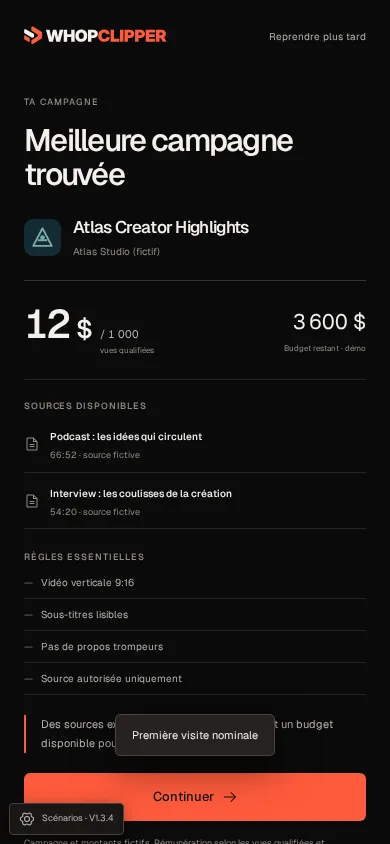
The journey starts after sign-in. Production begins at registration while a short set of questions helps shape the experience. Campaign discovery provides a starting point without asking you to paste a brief or choose an editing template.
Check the recommended campaign’s sources, requirements and reward terms before proceeding. The examples below are captures of the existing product prototype, with fictional campaign data.
2. Let clips take shape
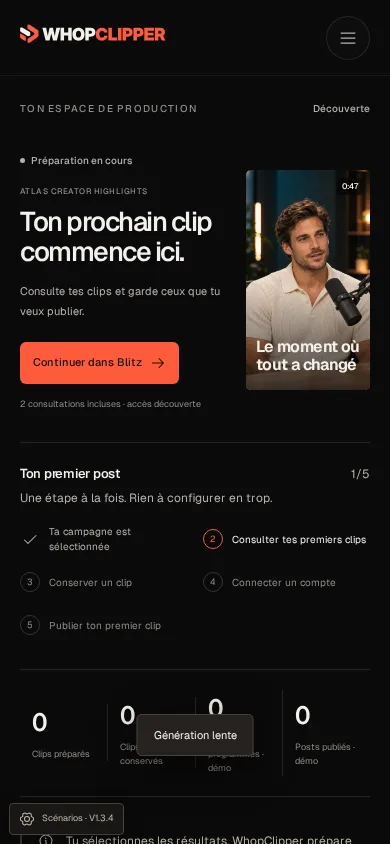
The first production contains six clips. Source analysis and clip preparation continue in the background: you do not need to select caption presets or rebuild a timeline.
A slower generation can take 60–90 seconds in the demonstration scenario. That is an example state, not a guaranteed service time. A waiting or failed state must remain visible rather than pretending a clip is ready.
3. Review in Blitz
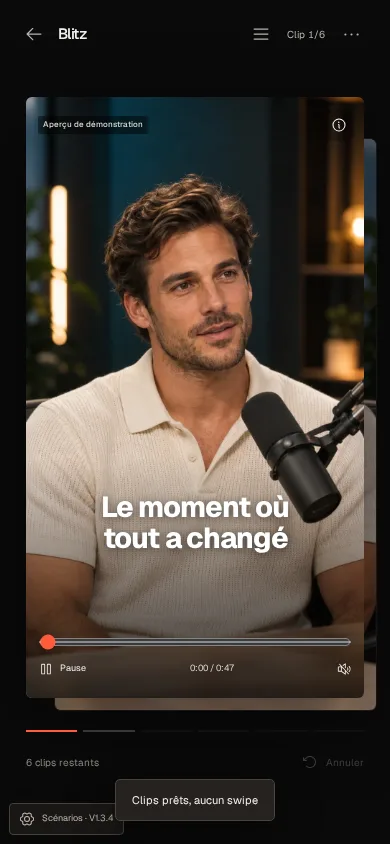
Watch one prepared clip, keep what works and pass on what does not. The next clip comes into focus as you move through the stack. Decisions stay focused on the result rather than on editing settings.
The first two consultations are available in discovery. Reviewing the second leads directly to the dedicated Pro/Max/Scale paywall. A real upgrade must be confirmed through the payment provider; the prototype’s checkout outcomes are simulations.
4. Get ready to publish
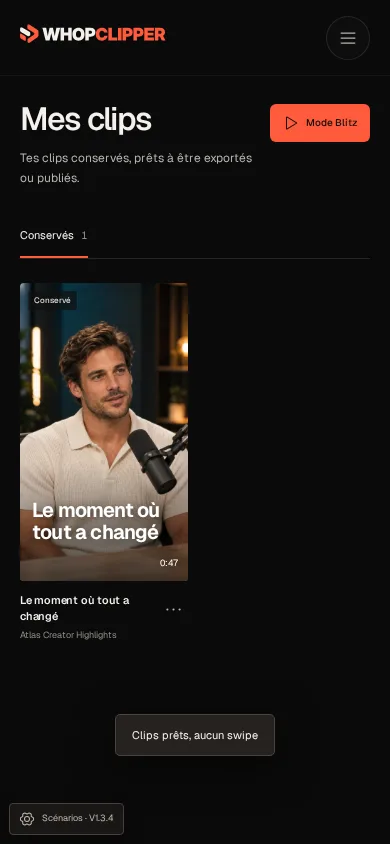
Keep the campaign’s platform instructions and account requirements alongside the clip. You can prepare your next action without assuming that publishing a post and submitting it for a campaign reward are the same operation.
Download eligible MP4 clips and publish manually. TikTok connections and scheduling are coming soon. When a campaign asks for a dedicated account, WhopClipper can help prepare a handle, bio and profile image; it does not create a TikTok account on your behalf.
What happens when a campaign has extra rules?
A campaign may specify allowed source videos, branding, mentions, a dedicated account or a submission deadline. Apply the actual brief: these are possible requirements, not universal Whop rules.
An export without the WhopClipper watermark still keeps required campaign branding. Check the brief again before publication or submission; no tool can guarantee campaign approval or earnings.
Frequently asked questions
Do I have to choose an editing template?
No. The intended workflow prepares clips around the campaign; you judge the result in Blitz rather than choosing a style before production.
Do I need a TikTok account right away?
No. Campaign discovery comes first. Download eligible clips without connecting TikTok. Publish manually on an account accepted by the campaign; the TikTok connection is coming soon.
What happens if clips take 60–90 seconds?
The interface keeps a clear generation state and lets you continue the short onboarding. The preview includes slow and failed generation scenarios. Timing depends on the source and available processing capacity.
Can I reject generated clips?
Yes. Pass left in Blitz to move on. Passing is a review decision; it does not establish that stored media has been deleted.